
📟Command line tools
Keyboard shortcuts
ctrl-r- Search previously used commandsctrl-t- Invoke FZF fuzzy file finder (see below)ctrl-l- Clear the terminal screenctrl-k- Clears the terminal screen but no-scroll back. Basically wipes thectrl-w- Cut one word backwards using white space as delimiteresc-t- Swap the last two words before the cursor
Commands
cal
Show a calendar
❯ cal
   February 2020
Su Mo Tu We Th Fr Sa
                   1
 2  3  4  5  6  7  8
 9 10 11 12 13 14 15
16 17 18 19 20 21 22
23 24 25 26 27 28 29
date
Show the date
❯ date
Sat  7 Sep 2019 09:22:28 BST
tree
Show directory contents as a tree
❯ tree -L 1
.
├── README.md
├── example
├── gatsby-theme-code-notes
├── node_modules
├── package.json
└── yarn.lock
List global packages
# with yarn
❯ yarn global list

# with npm
❯ npm -g ls --depth=0
Flush DNS cache
1. Clear OS-level DNS cache
On Mac OS, run this in the terminal:
sudo dscacheutil -flushcache;sudo killall -HUP mDNSResponderOn Windows:
ipconfig /flushdns2. Clear DNS cache via Chrome
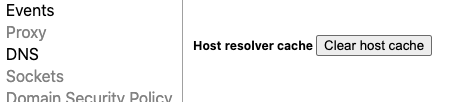
Go to chrome://net-internals/#dns and click Clear host cache.
This button sounds like it should clear the OS-level cache, but my experience just doing this isn’t enough by itself.
3. Close existing server connections
Go to chrome://net-internals/#sockets and click Flush socket pools.

Then reload the page you’re testing and you should see the DNS lookup again, as well as the time spent on establishing the TCP connection.
Custom packages
Autojump
https://github.com/wting/autojump
autojump is a faster way to navigate your filesystem. It works by maintaining a database of the directories you use the most from the command line.
❯ j codeexa
A modern version of ls
❯ exa -l
❯ exa -T -L 2 # like tree
FZF
https://github.com/junegunn/fzf
Fuzzy find files. Use ctrl+t to access it
serve
Static file serving and directory listing
emma
https://github.com/maticzav/emma-cli
Search for npm packages. Run emma to initialise the search, then enter your search criteria
ibrew
https://github.com/mischah/ibrew
Interactive search CLI for Homebrew
Run ibrew to initialise the search, then enter your search criteria
yalc
https://github.com/whitecolor/yalc
Work with yarn/npm packages locally like a boss.
hub
# clone one of your GitHub repos
❯ hub clone dotfiles
# Same as → git clone git://github.com/YOUR_USER/dotfiles.git

# clone another project's repo
❯ hub clone github/hub
# → git clone git://github.com/github/hub.git

# open the current project's issues page
❯ hub browse -- issues
# → open https://github.com/github/hub/issues

# open another project's wiki
❯ hub browse mojombo/jekyll wiki
List the current repo’s PRs
# this is an alias
alias prs 'hub pr list -L 20 -b develop --format="%t%n - Branch: [%H]%n - %U%n - %l%n%n"'
# e.g. ❯ prs
Create a branch and switch to it
# FYI This is a fish shell function
function branch
  git branch {$argv} && git checkout {$argv}
end
# e.g. ❯ branch feature/WL-88-hello
standup
https://github.com/kamranahmedse/git-standup
Shows a list of commits for the past 24 hours
❯ standup
/Users/zander/code/fairfx/fx-holiday-money-app
5315f033 - build(multi): HM-925 Improve perf for a couple of pages (16 hours ago) <Zander Martineau>
4b41c048 - index on feature/HM-925-improve-performance:
1b854d84 fix(ci): AWS-99 Remove builds/deployments associated (#845) (17 hours ago) <Zander Martineau>
cross-port-killer
https://github.com/milewski/cross-port-killer
Kill a process running on a particular port
❯ kill-port 9001doctoc
https://github.com/thlorenz/doctoc
Generated markdown table of contents
❯ doctoc README.md --githubfx
https://github.com/antonmedv/fx
Command-line JSON processing tool
❯ fx package.jsonjq
https://stedolan.github.io/jq/
jq is like sed for JSON data - you can use it to slice and filter and
map and transform structured data with the same ease that sed, awk,
grep and friends let you play with text.
# use jq to extract just the first commit from a repos list
❯ curl 'https://api.github.com/repos/stedolan/jq/commits?per_page=5' | jq '.[0]'
npq
https://github.com/lirantal/npq
Safely* install packages with npm or yarn by auditing them as part of your install process
# with npm ❯ npq install express # with yarn, set an alias like so:alias npq="NPQ_PKG_MGR=yarn npq-hero"
❯ npq add express
youtube-dl
# install
❯ brew install youtube-dl
# use
❯ youtube-dl d2qfa3tlgH8
https://blog.balthazar-rouberol.com/text-processing-in-the-shell