
Moons now available on the App Store
My first iOS app is out. Twelve people you want to stay close to, in orbit around you, drifting further out the longer you go without speaking.
I’ve shipped my first iOS app! 🥳 Moons went live on the App Store this week and I’m really excited about it. I’ve built so many things over the years, but this is the first one you can find by searching an app store, and that feels different.

Why I built it
I’m pretty crap at staying in touch with people. Not the ones I see every week, the other ones. The friend who moved away, the old colleague I actually liked, the cousin I only hear from at Christmas. I always mean to call, and then it’s been four months and calling feels weird, so it becomes six.
I’ve tried to fix this before. For a while I kept a database in Airtable, which worked for a bit. Then a few iPhone apps built for exactly this, and every one of them wanted a subscription. That never felt right. Paying monthly to remember to call my friends is a strange transaction, and an app that needs me to keep paying also needs me to keep coming back, which means it’s built to be opened rather than built to help.
I think something like this should be simple, private and untracked. It shouldn’t want your engagement. If it’s doing its job you’ll open it less, not more, because the phone calls happen out in the world and the app only needs a tap afterwards. I didn’t want a to-do list. I wanted something I could glance at.
Twelve people
The idea I kept coming back to is that the list should be short. Try to keep in touch with two hundred people and you’ll keep in touch with none of them. If you can only pick twelve, everyone on that list is someone you really care about, or someone you want back in your life. The cap does the thinking for you.
So Moons has a hard limit of twelve. You pick people from your contacts. For each one you say how often you’d like to be in touch and when you last were. That’s the whole setup.
The orbit
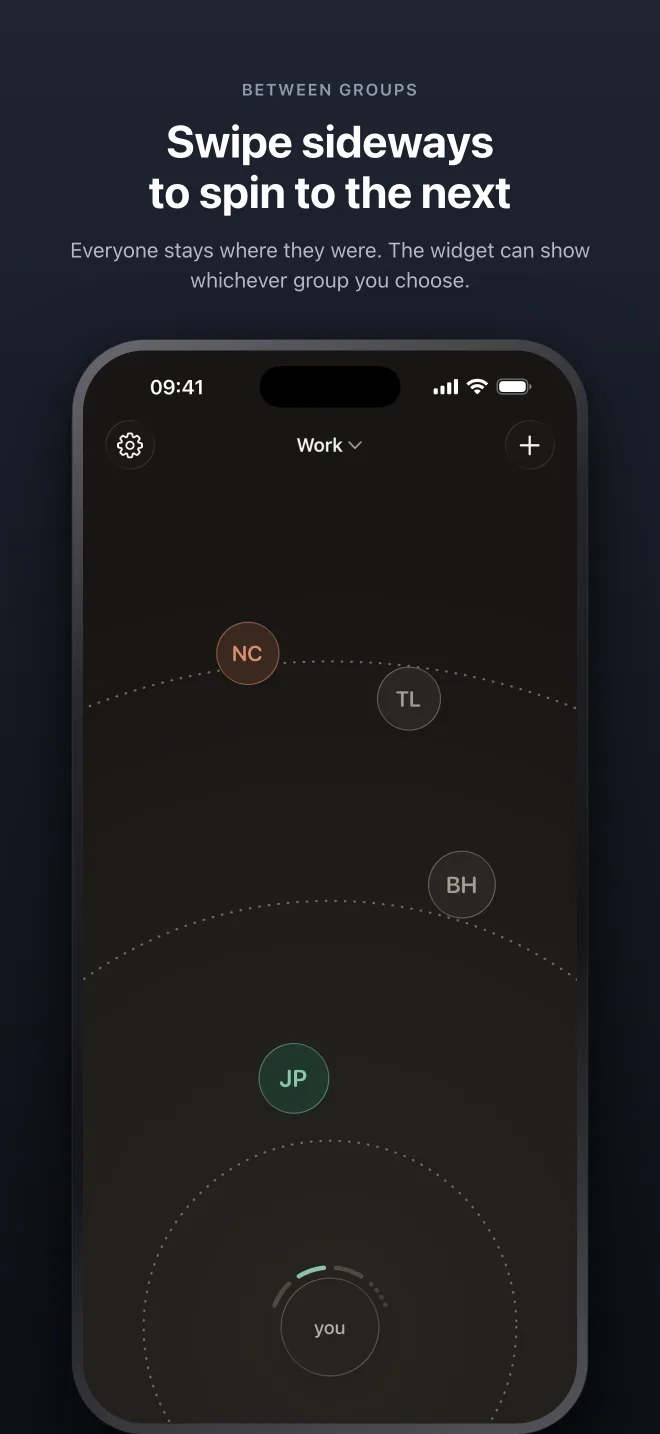
Then the app draws them. You’re at the bottom of the screen and each person is a moon in orbit around you. The distance is how long it’s been since you spoke, measured against the rhythm you set. Speak to someone and they pull in close. Go quiet and they drift outward, and their colour changes with them.
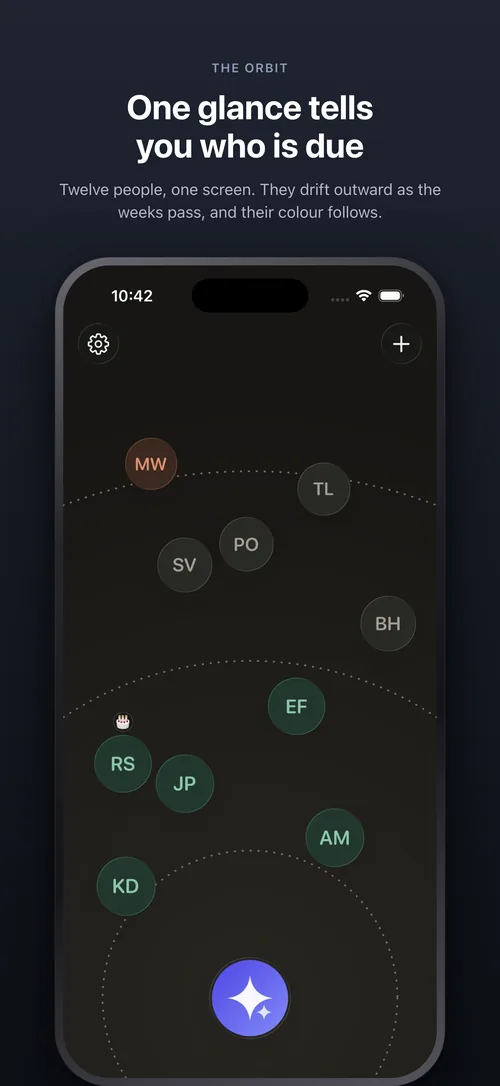
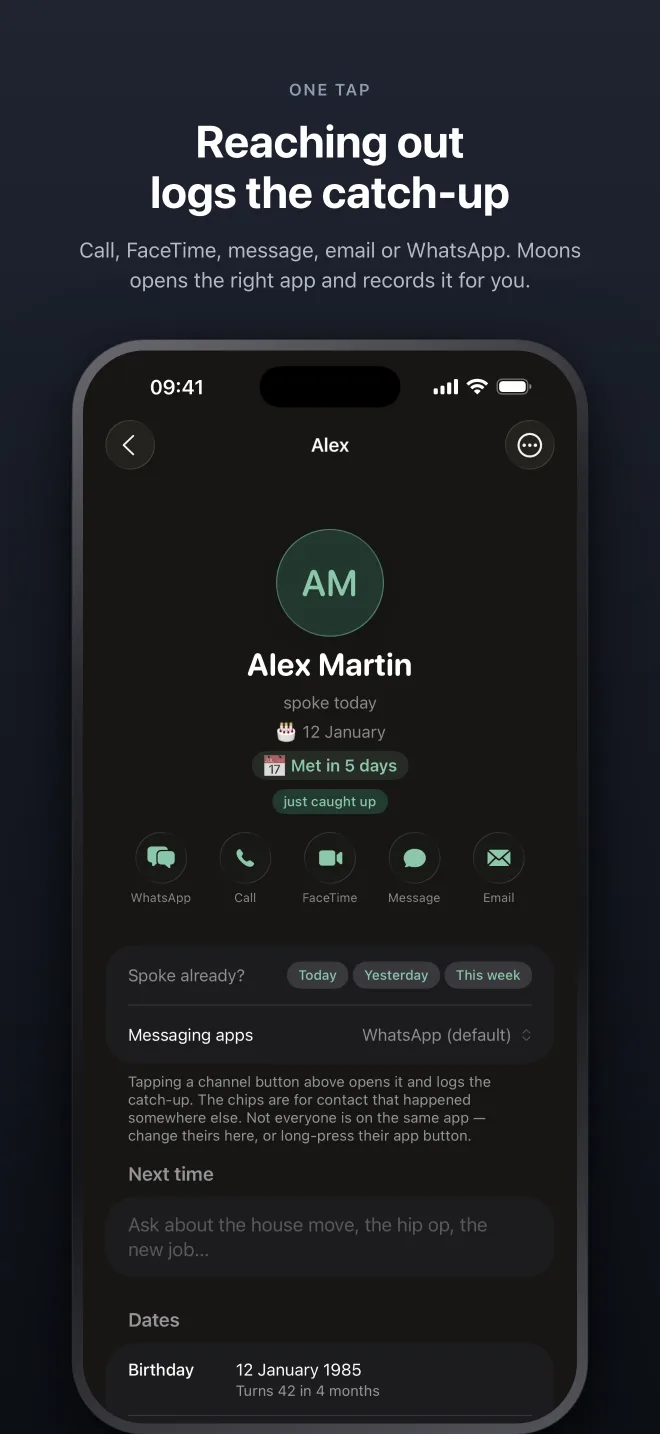
Each moon uses the photo from your iPhone contacts, if there is one. The screenshots don’t show that because I test with contacts that have no pictures, for the obvious privacy reason, so what you’re seeing is the fallback.
That’s the whole interface, and it’s why this attempt has lasted longer than a fortnight. I don’t read a list or check a date. One look tells me who’s drifting, and the ones near the edge are the ones I need to call. Nobody gets a red badge. A person drifting away is a much gentler nudge than a notification saying you’re 23 days overdue on your mum.
Logging a catch-up is cheap on purpose. Tap someone and you can call, FaceTime, iMessage, email or WhatsApp them. Moons opens the right app and logs the catch-up for you. Press and hold to log one that happened in person. There’s a home-screen widget with the orbit on it, and a Siri shortcut for “log a catch-up”, so most days I never open the app at all.
Those five are the defaults, and you can change them in settings. Drop WhatsApp if you don’t use it, add Signal or Telegram if you do. You can also set it per person, which is the bit I actually needed. A few of my friends are only on Signal, some are on WhatsApp, and others I only ever iMessage. Tapping each of them opens the app we actually talk on.
Each person
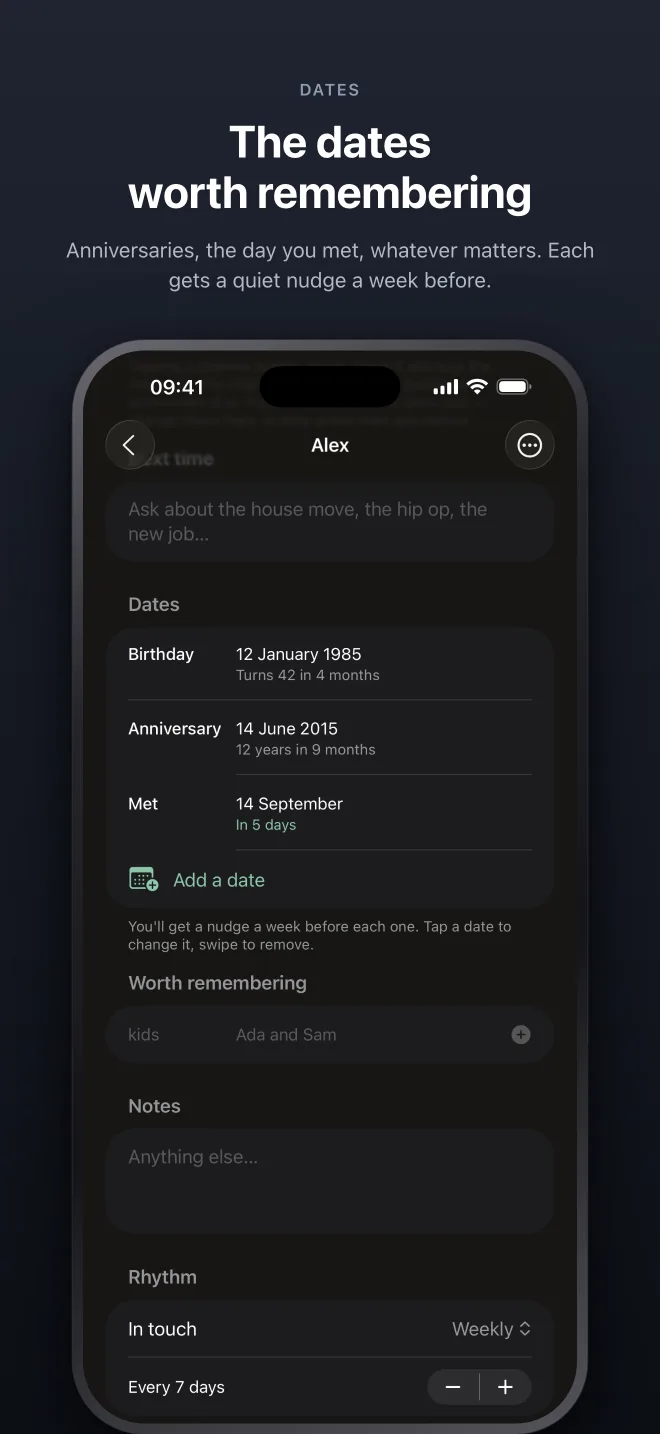
Behind each moon is a page. That’s where you set the rhythm, how often you’d like to be in touch, and you can change it whenever life changes. There are notes, for the long-form stuff. There are dates, anniversaries, the day you met, whatever matters to the two of you, and you get a quiet nudge a week before each one, which is enough time to do something about it.
And there’s a list of facts, small things worth remembering that don’t belong in a note. Their kids’ names. The dog. What they drink. I’m terrible at holding this kind of thing in my head, and having it one tap away before a call has saved me more than once.
Everything stays on your phone. No account, no server, no analytics. The App Store privacy label says “Data Not Collected”, and that’s literally true.
It also never sees a message. Tapping the WhatsApp icon on someone’s page just opens WhatsApp on your chat with them, and the same goes for iMessage, Signal and the rest. Moons hands you off and records that you reached out. It has no idea what you said, and it can’t have, because it never had access. On the privacy front the app is deliberately dumb.
It’s also tiny. The download is 7.3 MB, because it’s native SwiftUI with no dependencies. You can grab it on mobile data while you’re out without thinking about it, and it barely registers on your storage. I care about that more than I probably should. An app for twelve people has no business being half a gigabyte.
Groups
The feedback from TestFlight was consistent on one thing. People wanted a second group. Their twelve friends and their twelve work contacts are different lists with different rhythms, and they didn’t want them on one screen.
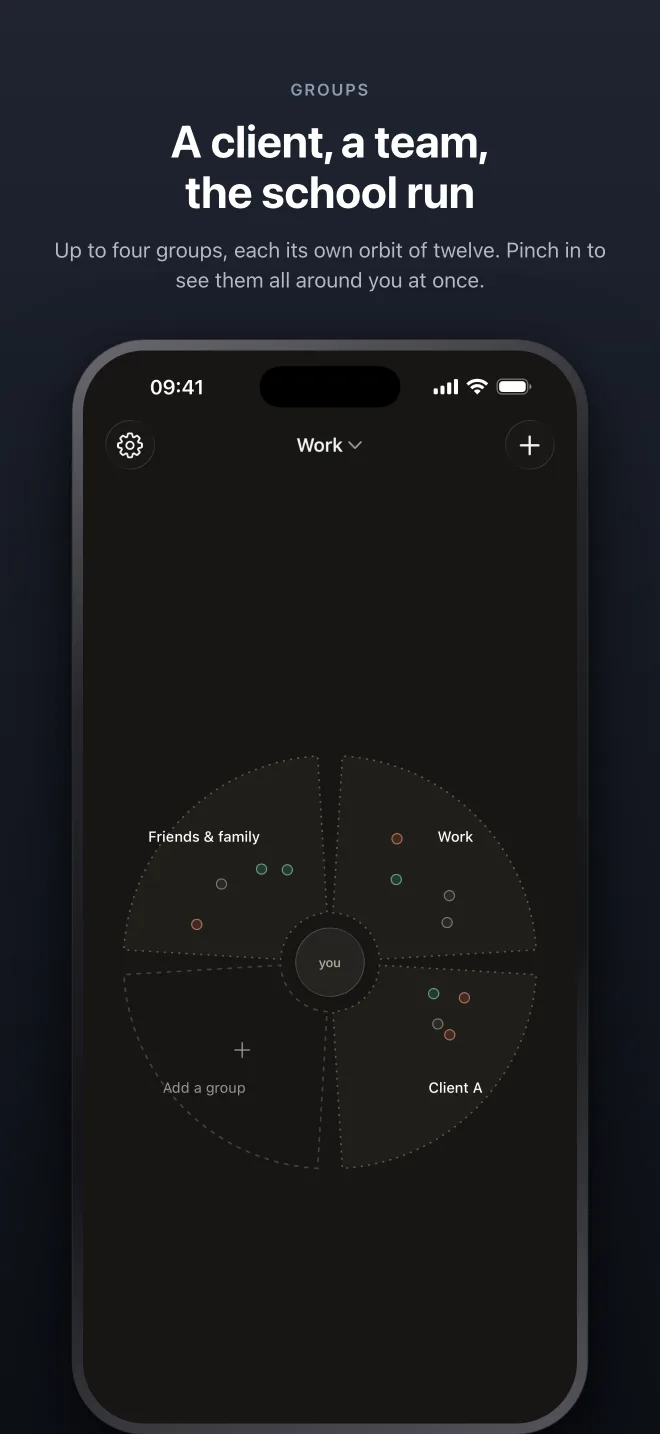
So groups shipped today, in the same release. You can have up to four, name them whatever you like, and put twelve people in each. A client, a team, the school run. Swipe sideways to spin to the next group, or pinch in to see all four around you at once. The widget can show whichever group you choose, and the moons rotate now too, rather than sitting still.
That was the last big piece. From here I expect refinements, not features. Moons is meant to be a small app, and the twelve-person cap is what keeps it small.
What it costs
Three people are free, which is enough to find out whether the orbit works for you. One payment of £1.99, or $1.99, opens all twelve. No subscription.
Groups are a separate purchase. Another £1.99 if you’ve already paid for twelve, or £4.99 for the lot if you’re still on the free tier.
Go and put twelve people in orbit.